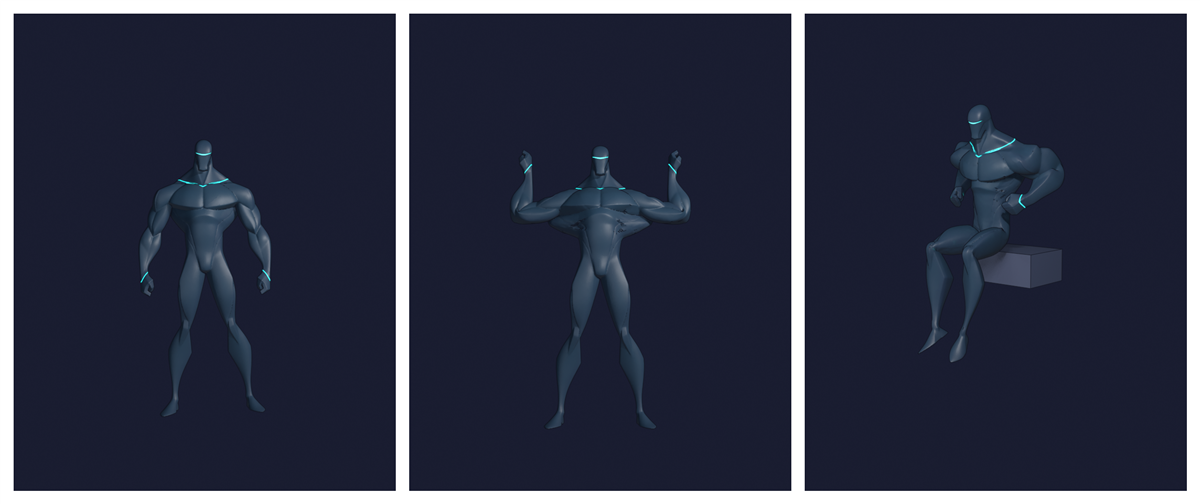
1 model, 3 panels
Decided to play around with a 3D to 2D asset pipeline after all. Fable access got extended.
The idea is consistency. Image generators drift, a 3D model is the same character every time. Pose it, point a camera at it, render it flat. If that works, the game pipeline and the comic pipeline are the same pipeline.
Took the test character, a generic brute NPC, and went for 3 panels: standing, flexing, sitting down.
Lessons learned:
- Rigging strips the shine off the model. The texture maps come along in the download, they just arrive unplugged. Plug them back in on the Blender side.
- The auto-rig put the chin marker on the collar and the knees at mid thigh. Every pose after that bent in the wrong places. Place the markers by hand.
- Posing by typing rotation numbers took 8 rounds to get one hand resting on a knee. An IK target got it in 1.
- Light outlines are probably ‘better’ for game sprites. For 2D comic art, dark ink wins.
I have always admired how South Park was able to streamline their animation. With today’s technology it’s becoming easier to do that at home without needing studio money.
Also turns out I didn’t have to learn everything the hard way. Meshy publishes its own skill files for AI agents, and there’s a community pack for Blender 5.1 that covers rigging.